
Features / App uninstaller
The Mac uninstaller that shows you what it's deleting
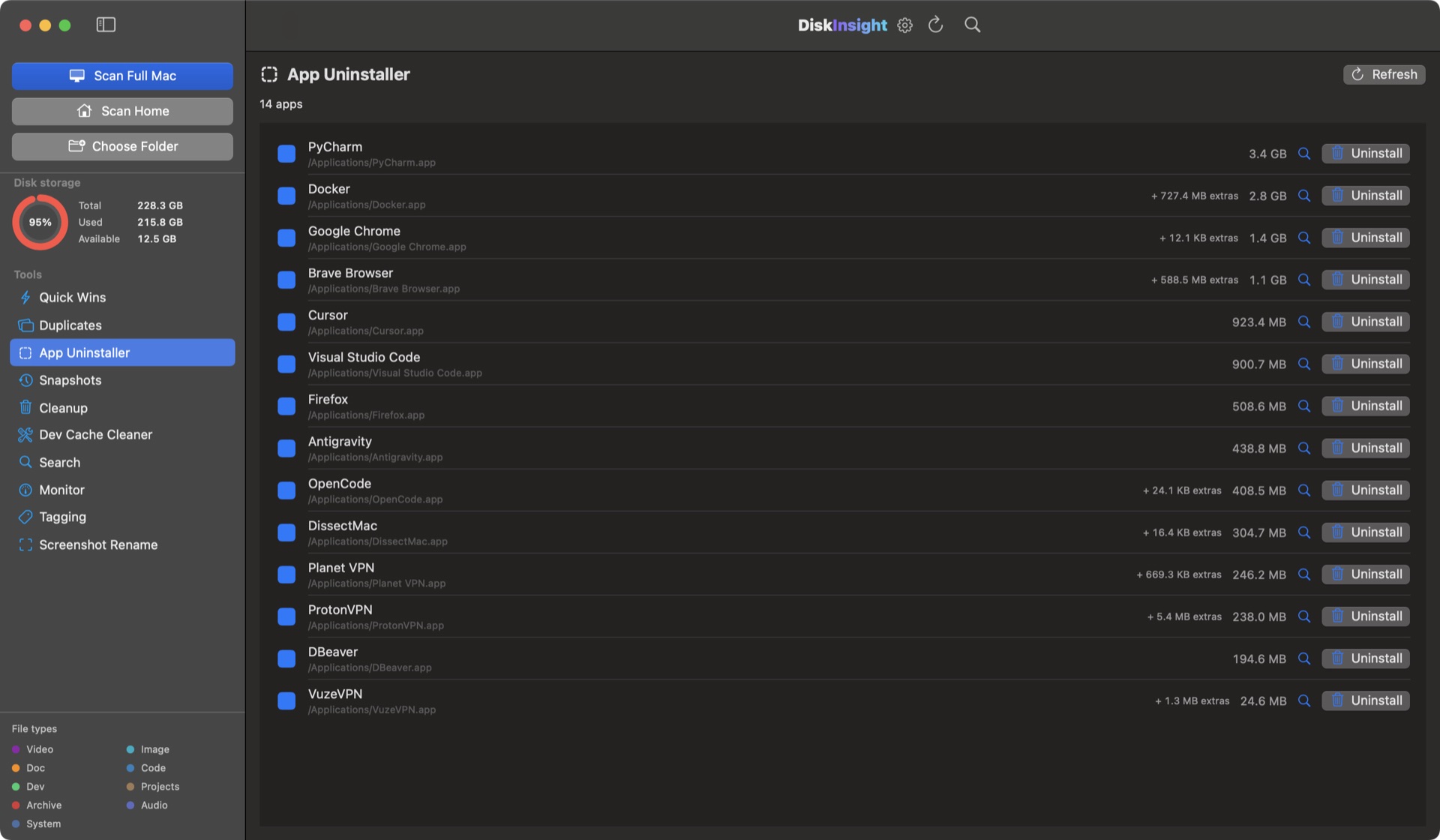
Dragging an app to the Trash removes the .app bundle — and leaves gigabytes of Application Support, Caches, Containers and Preferences behind in your Library. DiskInsight lists every file an app owns, with sizes and paths, and moves them together in one step.
Dragging to the Trash removes one file
Everything the app created while you used it stays behind — and it all counts as System Data.
| Where leftovers live | What's in it | Typical size |
|---|---|---|
| ~/Library/Application Support | Databases, saved state, plug-ins | MB to tens of GB |
| ~/Library/Caches | Temporary files the app rebuilds | MB to GB |
| ~/Library/Containers + Group Containers | Sandboxed app data and extensions | MB to GB |
| ~/Library/Preferences | Settings (.plist files) | KB |
| ~/Library/LaunchAgents + LaunchDaemons | Background helpers that start at login | KB — but they keep running |
| ~/Library/Logs, Saved Application State, WebKit | Logs, window positions, web caches | KB to MB |
Pick. Review. Remove — to the Trash.
Three steps, and nothing is ever erased in the background.
Pick the app
Select any app you installed. DiskInsight gathers the bundle and every related file it owns, each with its size and full path.
Review everything
See the whole footprint — Application Support, Containers, Caches, Preferences, Logs, Saved State, WebKit. Untick anything you want to keep.
Move together to Trash
In one step. Because everything lands in the macOS Trash, you can put a file back right up until you empty it.
Leftovers are why “System Data” grows
The Finder hides your Library folder by default. A removed game, video editor or IDE can keep tens of gigabytes there for years — invisible, and counted as “System Data”. The uninstaller does the search for you and shows the result before anything moves.
Part of DiskInsight Pro
One-time unlock. Same build as the free analyzer — paste your key, no reinstall.
Uninstalling apps, answered honestly
Is the app uninstaller free?
The disk map, search, large-file finder and live monitor are free forever. The app uninstaller is part of DiskInsight Pro — a one-time, lifetime unlock. You review the full list of files — every size and path — before anything moves, and everything goes to the macOS Trash.
Does it work with apps from the Mac App Store?
Yes. App Store apps keep their data in ~/Library/Containers and Group Containers. The uninstaller lists those alongside the app bundle so they can go together.
Can it remove Apple’s built-in apps like Safari or Mail?
No. Apple apps are protected by macOS (System Integrity Protection), and DiskInsight doesn’t attempt to remove them.
Is deleting an app with DiskInsight safe?
You review the full list — every file, size and path — before anything moves, and everything goes to the macOS Trash rather than being erased. You can put files back until you empty the Trash.
I already deleted the app. Can DiskInsight help?
Yes. Run the free analyzer and it maps your whole disk — including the hidden ~/Library Application Support, Caches and Containers folders where orphaned app data hides. That’s the exact place the left‑over gigabytes go, shown byte-for-byte on your screen.
See what your apps left behind — for free.
The storage map is free and shows you everything. Pro removes it for $9.99, once.